.png)
.png)
.png)
.png)

Download Magic Tool APK – free proxy client, mobile security, unlimited proxy, fast internet, VPN alternative
Overview
Magic Tool APK is a mobile security application designed to provide users with a free proxy client for enhanced online privacy and unrestricted web access. The app, developed by vpnhamster, enables users to mask their IP address and connect to proxy servers with a single tap, offering a layer of anonymity while browsing. It is intended for individuals seeking a no-cost alternative to premium VPN services, particularly those needing to access geo-restricted content or protect their online identity on mobile devices.
The software targets casual users, students, and privacy-conscious individuals who require temporary access to blocked websites without the commitment of a paid subscription. It supports automatic connection to the nearest and fastest proxy server based on location detection, streamlining the user experience. The app does not store logs of user activity, which may offer some assurance regarding data privacy. However, the developer did not provide additional details about data handling practices or server infrastructure.
Real-world usage scenarios include accessing educational resources, bypassing regional content restrictions, or securing connections on public Wi-Fi networks. While the app is marketed as a secure and fast solution, performance observations are based on general software behavior patterns. The developer did not specify resource usage details, and exact performance metrics were not provided.
Key Features & Capabilities
- Single-tap connection – Users can establish a proxy connection with one tap, minimizing setup complexity and improving accessibility for non-technical users.
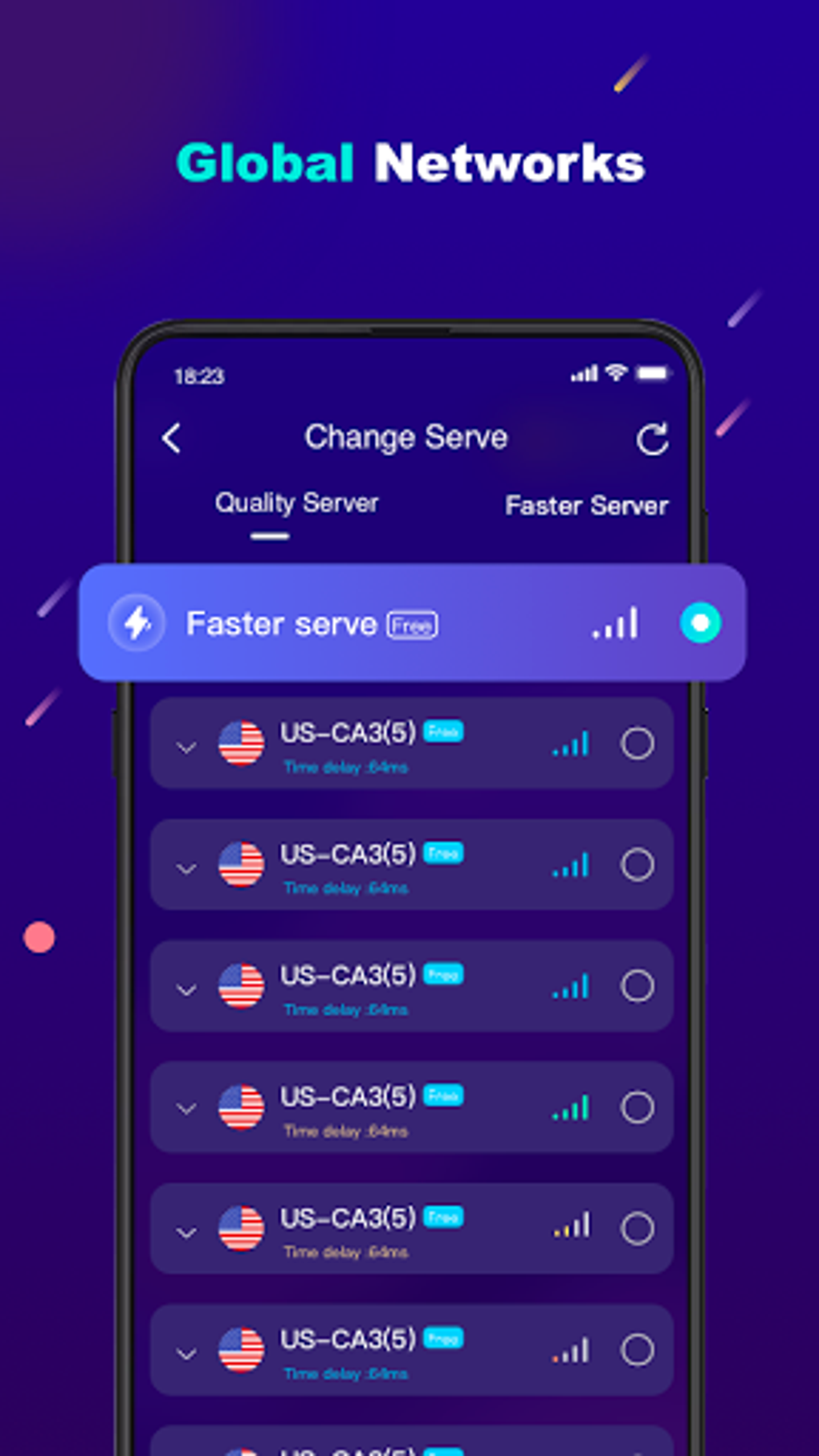
- Automatic server selection – The app detects the user’s location and connects to the nearest and fastest proxy server, reducing manual configuration.
- Over 100 proxy servers – A large pool of proxy servers is available, offering multiple geographic options for routing internet traffic.
- Zero log policy – The application claims not to retain logs of user activity, which may help protect privacy during browsing sessions.
- DNS leak protection – The app ensures that DNS queries are routed through the proxy, preventing exposure of the user’s real IP address.
- Registration-free access – No account creation or personal information is required, allowing immediate use upon installation.
These features are designed to support quick, anonymous browsing and access to restricted content. For example, a user in a region with limited internet access could use the app to connect to a proxy server in a different country and access blocked websites. Similarly, someone using public Wi-Fi might use the app to add a layer of security to their connection. However, the developer did not specify the types of proxy protocols used or server uptime, so real-world reliability remains unverified.
User Interface, Workflow & Performance
The user interface of Magic Tool APK appears to be designed for simplicity and ease of use, featuring a clean layout with minimal navigation steps. Users can initiate a connection with a single tap, and the app likely displays connection status, server location, and speed indicators. The workflow is streamlined, with automatic server selection reducing the need for manual input.
Navigation is expected to be intuitive, catering to users with limited technical knowledge. The app’s design emphasizes accessibility, allowing users to quickly switch between servers or disable the proxy without complex settings. However, the developer did not specify resource usage details, so CPU and RAM behavior during operation remain unknown.
Performance observations are based on general software behavior patterns. While the app claims to deliver faster internet speeds, actual performance may vary depending on server load, geographic distance, and network conditions. The developer did not provide benchmark data or speed test results. Users may experience slower connection speeds compared to other proxy or VPN services, especially when connecting to distant servers. Stability and long-term reliability were not confirmed by the developer.
Compatibility & System Requirements
Magic Tool APK is designed for mobile devices and is available as an Android application. It is distributed as an APK file, which suggests it is intended for sideloading rather than official app store distribution. The supported operating system is Android, though the specific version range was not provided.
The installation size is not specified, so users should expect variable file sizes depending on the device and installation method. The developer did not list exact system requirements such as minimum RAM, processor speed, or storage capacity. Compatibility information was partially provided, and users are advised to ensure their device supports APK installation.
For users unfamiliar with sideloading, the process may require enabling "Unknown Sources" in device settings. This could pose a security risk if not managed carefully. The developer did not clarify whether the app is compatible with all Android versions or if it supports specific device models.
Pros and Cons
Pros
- Free to use with no registration required
- Single-tap connection for quick access
- Over 100 proxy servers available across multiple locations
- Automatic server selection based on location
- Claims to maintain a zero log policy and prevent DNS leaks
Cons
- Internet speed is reported to be sub-par compared to paid services
- High frequency of ads may disrupt user experience
- Performance and stability details were not provided
- APK distribution may pose security risks if downloaded from untrusted sources
- Compatibility with specific Android versions or devices was not confirmed
FAQ Section
Is Magic Tool APK safe to download and use?
The app is distributed as an APK file, which requires sideloading. Users should only download it from trusted sources to minimize security risks. The developer did not provide a detailed privacy policy or security certification.
Does Magic Tool require registration?
No, the app does not require users to create an account or provide personal information to use its core features.
Can I use Magic Tool offline?
The app requires an active internet connection to function, as it relies on proxy servers to route traffic. It cannot operate without an internet connection.
How often does the app update?
The update frequency was not specified by the developer. Users should check the source website regularly for the latest version.
Is Magic Tool available for iOS devices?
Based on the available information, Magic Tool is currently only available as an Android APK. No official iOS version was mentioned.
Final Thoughts
Magic Tool APK presents a straightforward, free proxy solution for mobile users seeking basic online privacy and access to restricted content. Its single-tap connection, automatic server selection, and lack of registration make it accessible for casual users. The inclusion of over 100 proxy servers and claims of no log retention add to its appeal as a lightweight alternative to paid services.
However, users should be aware of potential drawbacks, including slower internet speeds and frequent advertisements, which may impact usability. The app’s reliance on APK distribution introduces additional security considerations, and performance details remain unverified. For short-term or low-risk browsing needs, Magic Tool may be a viable option.
For users requiring consistent speed, reliability, and enhanced security, a paid service is recommended. Still, for those exploring free proxy tools, Magic Tool offers a simple entry point into mobile privacy protection.
Download Magic Tool APK now





.png)

